Every tool in NoxuTFT,
on one screen
Eight tools behind one installer, drawn on top of the game. No alt-tab, no second monitor — just the information at the moment the decision happens.
The tools
Pool tracker
Every champion is drawn from a pool shared by the whole lobby, and the game never tells you how much of it is left.
The tracker counts in real time, per cost tier, so rolling for a three-star is a decision instead of a hope.

Augment helper
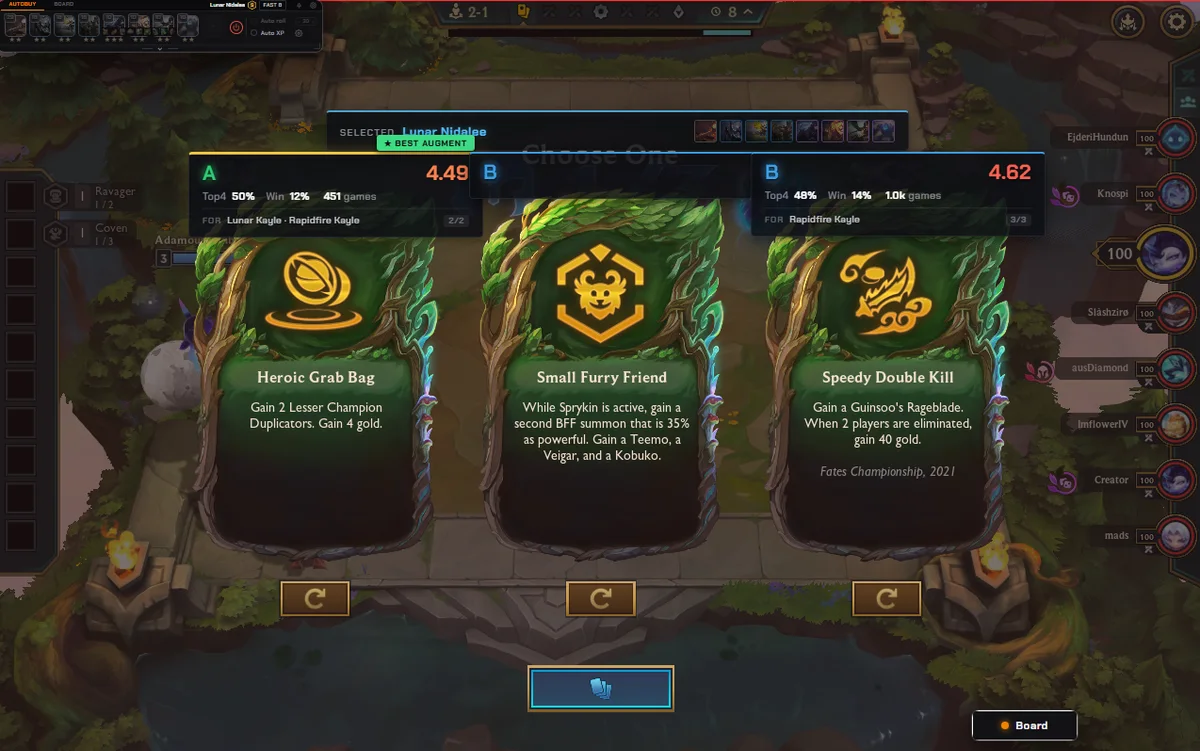
Three augments, forty seconds. Most tools rate them against a global average, which is why they keep recommending the popular pick that does nothing for your board.
NoxuTFT scores them against the comp you are actually playing — your traits, your carries, what you're holding.
Board AI
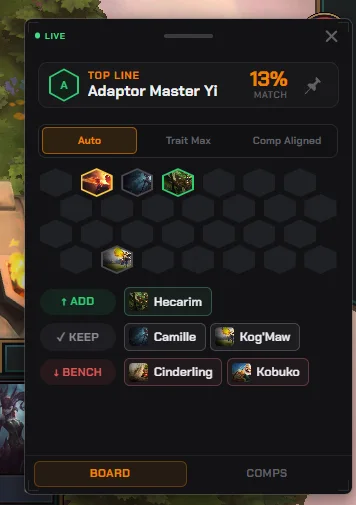
Add, keep and bench, by name, in three modes — from a quiet nudge to a full recommendation.
It also shows the comps you could still pivot into, so a bad reroll isn't the end of the game.
Positioning
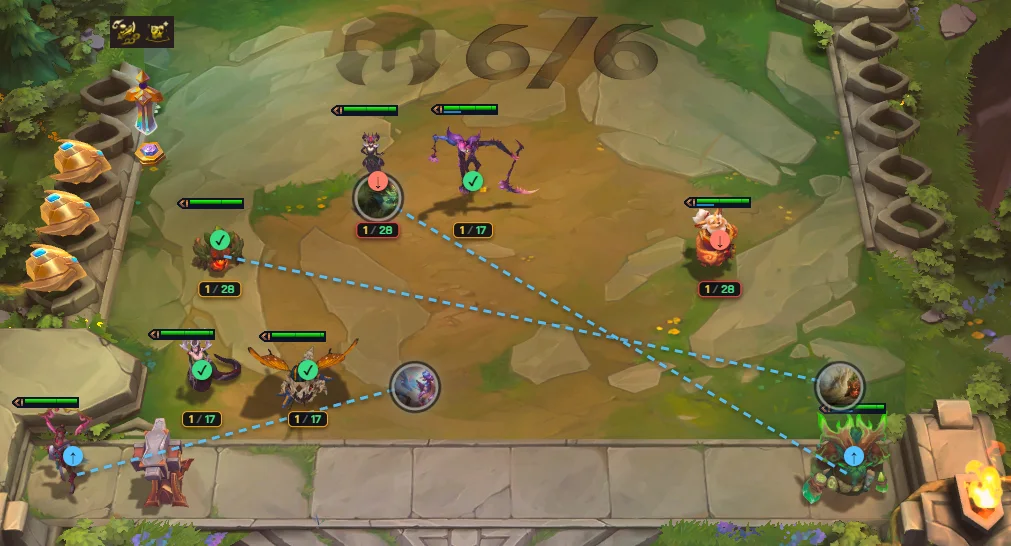
Move arrows drawn on your own hexes, from the positions that actually win with your comp.
Auto-position puts the board back the way you had it after combat scrambles it.
Comp browser and builder
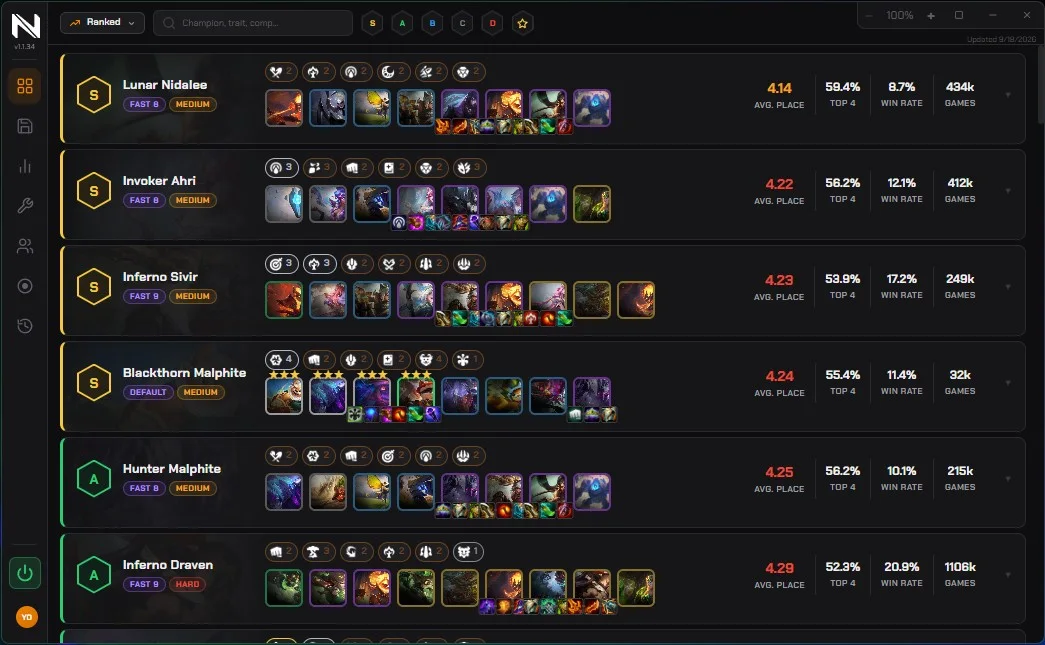
Queue with a plan: every meta comp with its board at each level, its variations and its counters.
Or build your own, with win rates per hex, and switch on the fly when the lobby tells you to.
Opponent history
Who you fight next, what they fielded last time, and whether the item you need is already contested.
Eight boards' worth of scouting you would otherwise do by clicking between rounds.
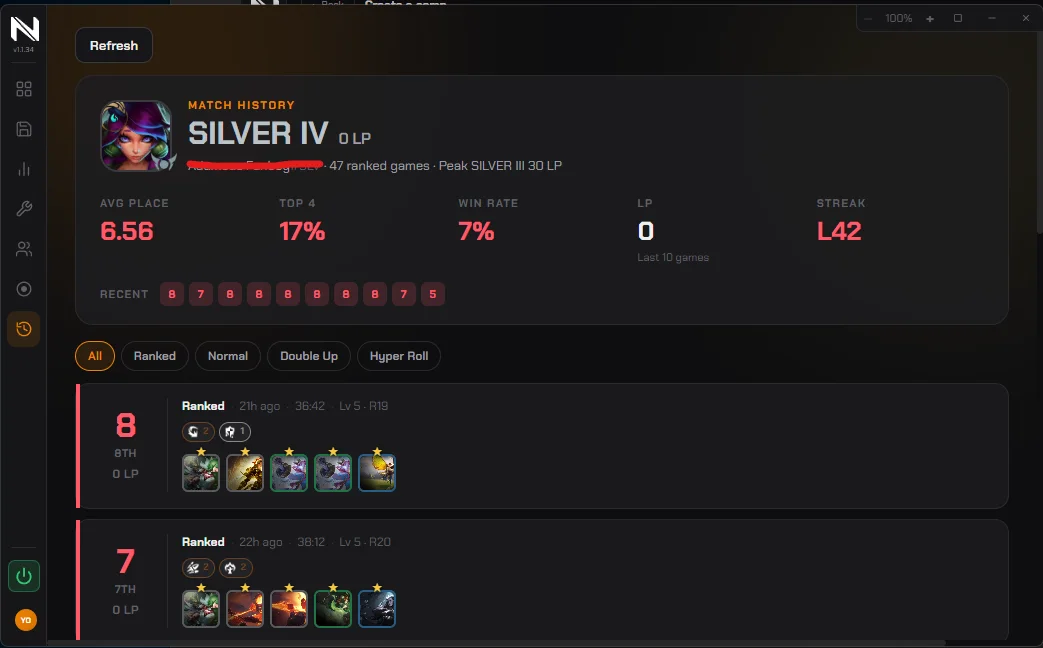
Auto-buy
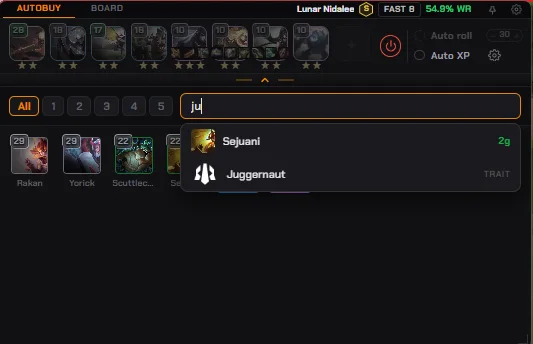
Your target champions land on the bench the moment they appear in the shop, so you can watch the board instead of the shop row.
It simulates clicks on top of the game window — exactly as if you had clicked.
Statistics
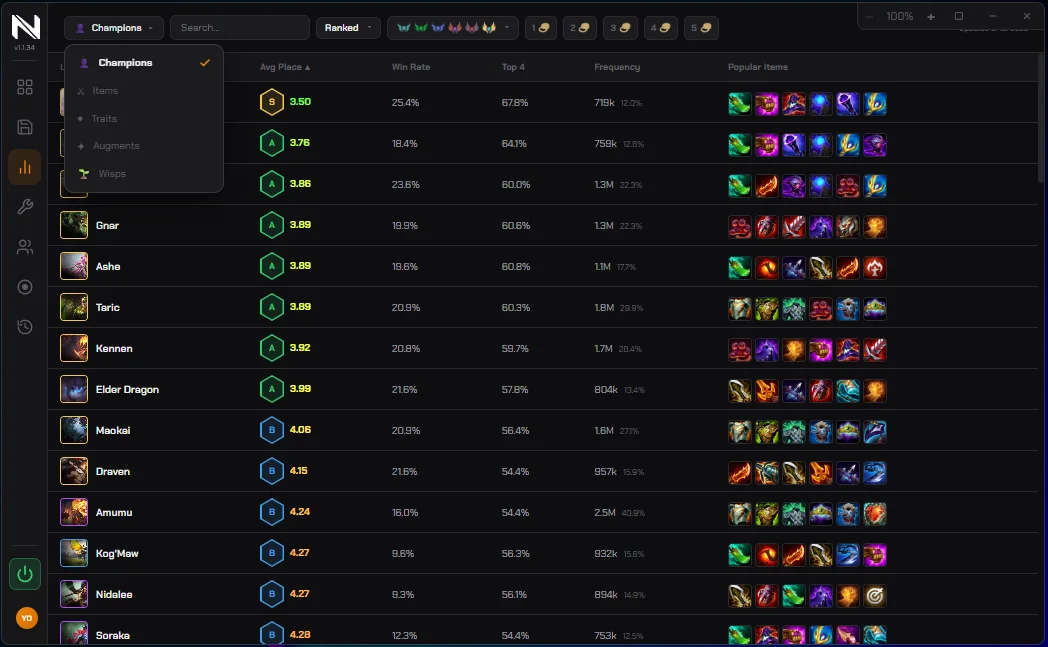
Champions, items, traits and augments, filterable, rebuilt every six hours — not a patch-day snapshot.
The same numbers this site publishes, without leaving the app.
Auto-buy and auto-position are input automation, and Riot's rules neither forbid them in writing nor explicitly allow them. They ship off by default, and since Riot can change that policy, we don't promise they're risk-free — every information tool above works with them switched off.
What it doesn't do
Twenty languages
NoxuTFT speaks every language Teamfight Tactics itself ships: English, Français, Deutsch, Español, Italiano, Português, Русский, Polski, Türkçe, 日本語, 한국어, 中文, Tiếng Việt, ไทย, Bahasa Indonesia, Čeština, Magyar, Română, Ελληνικά and العربية.
